Video Sharing for Enhanced Operational Awareness
Lorem ipsum dolor sit amet, consectetur adipiscing elit, sed do eiusmod tempor incididunt ut labore et dolore magna aliqua. Ut enim ad minim veniam, quis nostrud exercitation ullamco laboris nisi ut aliquip ex ea commodo consequat.
Introduction
Most public safety organizations have cameras on their cars, lapel cameras, as well as helicopters, planes, and drones. The problem is that it is difficult to share these live streams to respondents in the field in real time.
That is until now.
We offer a solution that once an incident takes place, a live stream can quickly be sent to responders for viewing on their phones, laptops, desktops, etc. This makes it easy to communicate with all responders in real time.


Heading 1
Heading 2
Heading 3
Heading 4
Heading 5
Heading 6
Your content goes here. Edit or remove this text inline or in the module Content settings.
How RTS Live Stream works
Real Time Solutions
Hover over the images below to learn more!
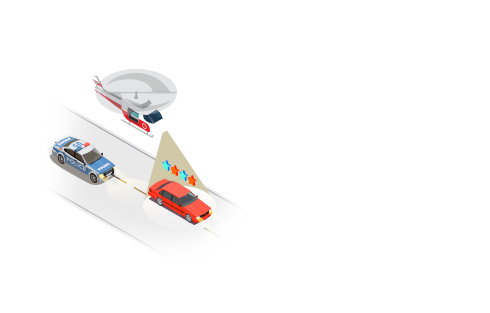
Lorem ipsum dolor sit amet, consectetur adipiscing elit, sed do eiusmod tempor incididunt ut labore et dolore magna aliqua.
What up! wanna try this working link?
Totally Click on this link it works for sure!
Who do you think you are? the link police?
Who do you think you are? the link police?

02. Text is sent
Lorem ipsum dolor sit amet, consectetur adipiscing elit, sed do eiusmod tempor incididunt ut labore et dolore magna aliqua.

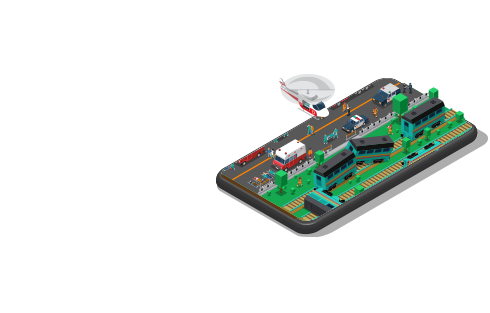
03. Monitor Incident
Lorem ipsum dolor sit amet, consectetur adipiscing elit, sed do eiusmod tempor incididunt ut labore et dolore magna aliqua.
Your Title Goes Here
Your content goes here. Edit or remove this text inline or in the module Content settings. You can also style every aspect of this content in the module Design settings and even apply custom CSS to this text in the module Advanced settings.
Streaming Features
VIP Groups
Security
Integrates
Flexible API
Streaming Features
Sreen Shot of Application
Your content goes here. Edit or remove this text inline or in the module Content settings. You can also style every aspect of this content in the module Design settings and even apply custom CSS to this text in the module Advanced settings.
Your content goes here. Edit or remove this text inline or in the module Content settings. You can also style every aspect of this content in the module Design settings and even apply custom CSS to this text in the module Advanced settings.
Your content goes here. Edit or remove this text inline or in the module Content settings. You can also style every aspect of this content in the module Design settings and even apply custom CSS to this text in the module Advanced settings.
Your content goes here. Edit or remove this text inline or in the module Content settings. You can also style every aspect of this content in the module Design settings and even apply custom CSS to this text in the module Advanced settings.
Your content goes here. Edit or remove this text inline or in the module Content settings. You can also style every aspect of this content in the module Design settings and even apply custom CSS to this text in the module Advanced settings.